
Construction’s New Checkpoints: What You Need to Know About The Building Safety Act Gateways
Sign in
✕
  • Platform
    • Platform Overview
    • Project Dashboards
    • Simpel Essentials
    • Quality Management
    • HSE Management
    • Site Access
    • Bookings and Warehousing
    • Reporting and Analytics
  • Client Type
    • REITs & Developers
    • Contractors
    • Subcontractors
    • High Security Projects
  • Module Spotlight
    • Simpel Passport – Profile Management
    • Document Management
    • QR Docs – Scan onsite
    • QTrack – QA Inspections
    • Drawing Collaboration
  • Switch to Simpel
  • Resources
    • Case Studies & News
    • White Papers
    • Blog
  • Careers
  • Support
Simpel_Reversed_Sticky_Header
  • Platform
    • Platform Overview
    • Project Dashboards
    • Simpel Essentials
    • Quality Management
    • HSE Management
    • Site Access
    • Bookings and Warehousing
    • Reporting and Analytics
  • Client Type
    • REITs & Developers
    • Contractors
    • Subcontractors
    • High Security Projects
  • Module Spotlight
    • Simpel Passport – Profile Management
    • Document Management
    • QR Docs – Scan onsite
    • QTrack – QA Inspections
    • Drawing Collaboration
  • Switch to Simpel
  • Resources
    • Case Studies & News
    • White Papers
    • Blog
  • Careers
  • Support
Book a demo
Sign in
✕
  • Platform
    • Platform Overview
    • Project Dashboards
    • Simpel Essentials
    • Quality Management
    • HSE Management
    • Site Access
    • Bookings and Warehousing
    • Reporting and Analytics
  • Client Type
    • REITs & Developers
    • Contractors
    • Subcontractors
    • High Security Projects
  • Module Spotlight
    • Simpel Passport – Profile Management
    • Document Management
    • QR Docs – Scan onsite
    • QTrack – QA Inspections
    • Drawing Collaboration
  • Switch to Simpel
  • Resources
    • Case Studies & News
    • White Papers
    • Blog
  • Careers
  • Support
✕
  • Platform
    • Platform Overview
    • Project Dashboards
    • Simpel Essentials
    • Quality Management
    • HSE Management
    • Site Access
    • Bookings and Warehousing
    • Reporting and Analytics
  • Client Type
    • REITs & Developers
    • Contractors
    • Subcontractors
    • High Security Projects
  • Module Spotlight
    • Simpel Passport – Profile Management
    • Document Management
    • QR Docs – Scan onsite
    • QTrack – QA Inspections
    • Drawing Collaboration
  • Switch to Simpel
  • Resources
    • Case Studies & News
    • White Papers
    • Blog
  • Careers
  • Support
BUILDING SAFETY ACT, REGULATIONS

Construction’s New Checkpoints: What You Need to Know About the Building Safety Act Gateways

Ebony Middleton | Published on 10 June 2025

A building with half still under construction on the left side and the completed side on the right

A safely built project doesn’t just happen. It’s the result of careful planning, accountability, and clear documentation at every stage. For teams delivering higher-risk or complex buildings, the introduction of the Building Safety Act Gateways marks a new benchmark for rigour across the entire project lifecycle.

With the introduction of three formal “gateways”, the Act puts the onus on developers, designers and construction teams to prove that buildings are, and will remain, compliant and safe for use. More than an administrative hurdle, these steps offer a clear path to delivering projects that stand up to scrutiny, safeguard occupants, and give all stakeholders peace of mind—long after the keys are handed over.

Where the Building Safety Act Gateways Apply: Defining Higher-Risk Buildings

Not every project is subject to the gateways; these requirements focus on what the Act defines as “higher-risk buildings” where safety stakes are highest, and oversight is historically hardest to maintain.

A building is considered higher-risk if it meets any of the following:

  • Stands at least 18 meters tall or has seven or more storeys
  • Provides residential accommodation where people sleep, such as student housing, care home, or hospitals (excluding hotels)
  • Includes safety-critical systems or complex structural design, such as advanced fire safety systems, extensive mechanical and electrical services, or unusual architectural forms

Where the gateways sit in a project’s timeline

The gateways are crucial stop-and-check moments, acting as major checkpoints in the project and giving everyone a clear signal that safety and documentation have been addressed before pressing on
Gateway 1 – Planning

Before permission to build is granted.
Do you have a clear fire and structural safety strategy?
Gateway 2 – Pre-construction

Before any building begins.
Are your designs and safety plans detailed, reviewed, and fully documented?
Gateway 3 – Final Completion

Before the building can be occupied.
Can you prove that the building is safe to reside in?

Each stage builds on the previous one, raising the bar for evidence and documentation. One missed requirement and projects can stall before they break ground.

Gateway 1 – Planning: Laying the safety foundations

Gateway 1 sets the tone for the entire project, demanding clear evidence of fire and structural safety from the outset. It’s not just a box-ticking exercise before submitting planning documents, it’s where a project’s safety credentials are first put under the microscope.

Why it matters

Regulators want to see evidence that fire safety and structural risks have been identified and addressed at the very beginning, not bolted on as an afterthought. Decisions made at this stage influence the entire project lifecycle, affecting everything from design to ongoing management.

What’s expected?

  • Submit a detailed fire statement: This outlines how fire safety principles have shaped the design, demonstrating compliance with national and local requirements.
  • Show early-stage safety thinking: Evidence of how risks such as fire spread, evacuation, and access for emergency services have been planned for.
  • Provide supporting documents: Risk assessments and strategies for mitigating hazards should be included, forming a transparent baseline for the design.

If these steps aren’t completed, planning permission can and will be refused.

Gateway 2 – Preconstruction: Designs, details, and duty holders

Gateway 2 marks the transition from intent to execution—requiring every detail, calculation, and safety plan to be fully developed, documented, and signed off by the regulator. It moves the focus from “have you considered safety?” to “can you prove your design meets every regulation, in detail?”

Why it matters

At this stage, builders are forced to get granular, laying out not only what will be built, but how every risk will be controlled throughout construction. The aim is to prevent shortcuts, confusion, or late-stage surprises that can jeopardise safety or compliance.

That scrutiny is already being felt in practice with 75% of Gateway 2 applications being rejected due to missing fundamental documentation.

What’s involved?

  • Share complete design and safety documentation: This means comprehensive drawings, calculations, specifications, and schedules.
  • Submit a detailed safety case: A document that process how key hazards like structural failures, fire, or unsafe materials, are being managed.
  • Identify principal designers and contractors: : The BSR will scrutinise whether the right people are accountable for safety at every stage.
  • Secure BSR sign-off before starting construction: No works can begin without formal approval, making this a hard stop for non-compliance.

Gateway 2 gives regulators a chance to intervene early, before mistakes are built in and before risks are locked within the physical structure.

Gateway 3 – Final Completion: No entry without evidence

With construction complete, Gateway 3 is the final hurdle before the building can be occupied. It’s not enough to have good intentions; you must prove, with evidence, that every safety commitment has been delivered as promised. Under the Act, it is a criminal offence for a higher-risk building to be occupied before Gateway 3 is approved.

Why it matters

Gateway 3 is the “show your work” stage. At this point, developers need to show regulators exactly what was delivered, how safety was handled, and proof that those records are organised and readily available. This is also where the concept of the ‘Golden Thread’ comes into play, requiring a well-organised digital record of all safety decisions and building data, maintained and updated for as long as the building stands.

What’s required?

  • Submit as-built drawings and O&M manuals: These must match the completed works, not just the original designs.
  • Prove all safety measures are in place and operational: From fire doors and compartmentation to evacuation routes and safety systems.
  • Transfer digital records for ongoing management: These will support future inspections, maintenance and compliance reviews.

No certificate, no occupation. Gateway 3 provides a final, objective review that confirms the Golden Thread has been maintained from preconstruction through to handover.

Gateway document management best practices: What to submit, where it applies, and how to file it

Reaching a go/no go outcome hinges on the ability to produce evidence of compliance for every major part of the build.

A clear folder structure remains essential during project preparation, helping teams organise documents and maintain visibility. However, the Building Safety Regulator no longer wants folders in submission packs, so files need to stand on their own with clear context. The key to approval is ensuring every file can be exported with a file name that shows which section of the BSA requirements it supports, so assessors can instantly identify which files relate to which category (e.g. F for Ventilation or H for Drainage).

This is where many teams get stuck: not in the documentation itself, but in how to structure and label it for submission. The best practices below lay out the core documents typically required for each part, along with a recommended naming format that makes your application easier to compile, send and assess.

Part

Title

What to include

Example file name

A
Structure
Structural drawings, calculations, loading specsProjectX_A_StructuralCalcs_v2_2025-05-29.pdf
B
Fire Safety
Fire strategy report, evacuation design, compartmentation, FEFProjectX_B_FireStrategy_v3_2025-05-29.pdf
C
Site Prep & Resistance to Contaminates/Moisture
Ground remediation, waterproofing details, site condition surveysProjectX_C_WaterproofingDetails_v1_2025-05-20.pdf
D
Toxic Substances
Asbestos management, safe materials declarationsProjectX_D_AsbestosSurvey_v1_2025-05-17.pdf
E
Sound
Acoustic testing reports, sound insulation detailsProjectX_E_AcousticTestResults_v2_2025-05-21.pdf
F
Ventilation
Mechanical and natural ventilation strategy, airflow calcsProjectX_F_MechVentCalcs_v1_2025-05-25.xlsx
G
Sanitation, Hot Water Safety
Plumbing design, anti-scald devices, hot water storage safetyProjectX_G_HotWaterSafety_v1_2025-05-19.pdf
H
Drainage and Waste Disposal
Foul/surface water drainage, SUDS, plumbing schematicsProjectX_H_SUDSDesign_v3_2025-05-28.pdf
I
Combustion Appliances
Fireplaces, boilers, flues, ventilation for fuel appliancesProjectX_J_BoilerSpecs_v1_2025-05-16.pdf
J
Protection From Falling, Collision, and Impact
Staircase design, guarding, handrails, barrier specsProjectX_K_BalustradeDetail_v2_2025-05-22.pdf
K
Conservation of Fuel and Power
U-values, thermal performance, SAP reports, insulationProjectX_L_SAPReport_v1_2025-05-23.pdf
L
Access to and Use of Buildings
Step-free access, disabled toilet layouts, signageProjectX_M_AccessibilityPlan_v1_2025-05-24.pdf
M
Overheating
(New in 2022)
Thermal modelling, glazing specifications, shading devicesProjectX_O_OverheatingAssessment_v1_2025-05-26.pdf
N
Electrical Safety
Wiring schematics, qualified installer declarationsProjectX_P_ElectricalLayout_v2_2025-05-20.pdf
O
Security in Dwellings
Window/door security features, PAS 24 standardsProjectX_Q_PAS24Cert_v1_2025-05-27.pdf
P
Physical Network Connections
Digital infrastructure, broadband-ready cabling plansProjectX_R_NetworkCabling_v1_2025-05-25.pdf
Q
Sustainable Drainage Systems (SuDS)
(New in 2024)
SuDS strategy, permeable paving, rain gardensProjectX_S_RainGardenDesign_v1_2025-05-28.pdf

What to include:

Example file name

Part A – Structure

Structural drawings, calculations, loading specsProjectX_A_StructuralCalcs_v2_2025-05-29.pdf

Part B – Fire Safety

Fire strategy report, evacuation design, compartmentation, FEFProjectX_B_FireStrategy_v3_2025-05-29.pdf

Part C – Site Prep & Resistance to Contaminants/Moisture

Ground remediation, waterproofing details, site condition surveysProjectX_C_WaterproofingDetails_v1_2025-05-20.pdf

Part D – Toxic Substances

Asbestos management, safe materials declarationsProjectX_D_AsbestosSurvey_v1_2025-05-17.pdf

Part E – Sound

Acoustic testing reports, sound insulation detailsProjectX_E_AcousticTestResults_v2_2025-05-21.pdf

Part F – Ventilation

Mechanical and natural ventilation strategy, airflow calcsProjectX_F_MechVentCalcs_v1_2025-05-25.xlsx

Part G – Sanitation, Hot Water Safety

Plumbing design, anti-scald devices, hot water storage safetyProjectX_G_HotWaterSafety_v1_2025-05-19.pdf

Part H – Drainage and Wate Disposal

Foul/surface water drainage, SUDS, plumbing schematicsProjectX_H_SUDSDesign_v3_2025-05-28.pdf

Part I – Combustion Appliances

Fireplaces, boilers, flues, ventilation for fuel appliancesProjectX_J_BoilerSpecs_v1_2025-05-16.pdf

Part J – Protection from Falling, Collision, and Impact

Staircase design, guarding, handrails, barrier specsProjectX_K_BalustradeDetail_v2_2025-05-22.pdf

Part K – Conservation of Fuel and Power

U-values, thermal performance, SAP reports, insulationProjectX_L_SAPReport_v1_2025-05-23.pdf

Part L – Access to and Use of Buildings

Step-free access, disabled toilet layouts, signageProjectX_M_AccessibilityPlan_v1_2025-05-24.pdf

Part M – Overheating

(New in 2022)
Thermal modelling, glazing specifications, shading devicesProjectX_O_OverheatingAssessment_v1_2025-05-26.pdf

Part N – Electrical Safety

Wiring schematics, qualified installer declarationsProjectX_P_ElectricalLayout_v2_2025-05-20.pdf

Part O – Security in Dwellings

Window/door security features, PAS 24 standardsProjectX_Q_PAS24Cert_v1_2025-05-27.pdf

Part P – Physical Network Connections

Digital infrastructure, broadband-ready cabling plansProjectX_R_NetworkCabling_v1_2025-05-25.pdf

Part Q – Sustainable Drainage Systems (SuDS)

(New in 2024)
SuDS strategy, permeable paving, rain gardensProjectX_S_RainGardenDesign_v1_2025-05-28.pdf

Tip: The clearer your file names, the easier it is for the regulator to review your submission. Use a consistent naming format from the outset to avoid rework and rejection later.

Maintaining the golden thread: digital tools for building safety act gateways

Managing gateway submissions means wrangling a high-volume of documents, data and evidence across multiple disciplines. Traditional folder systems and manual checklists struggle to keep pace, especially when each stage demands absolute accuracy.

Simpel brings order to dense submission packs with digital tools designed to keep everything structured, auditable, and regulator-ready through:
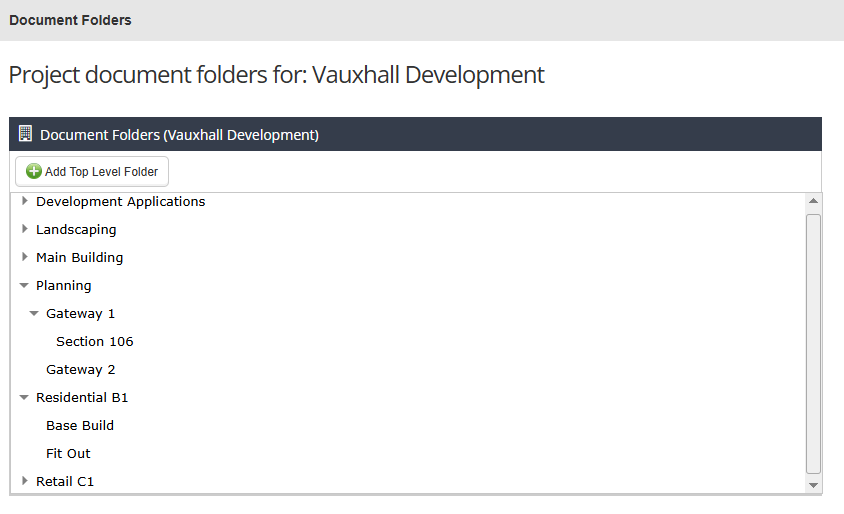
Folder structures tailored to each gateway

Set up digital work packs that mirror regulatory requirements. Group every document whether its drawings, reports, certifications etc, within a defined category (or subcategory), making it easy to find, extract and prove compliance at a moment’s notice.

Naming conventions for accuracy and traceability

Misplaced files and mismatched versions are no more. Name and organise documents according to project, regulation, discipline, version and date (e.g. Project X_Part M_Access Statement_v2_2025-05-29), so everything is instantly searchable. Pattern matching on file names ensures every document uploaded is clearly mapped to the relevant code.

Folder structures tailored to each gateway

Set up digital work packs that mirror regulatory requirements. Group every document whether its drawings, reports, certifications etc, within a defined category (or subcategory), making it easy to find, extract and prove compliance at a moment’s notice.

Screenshot of folders in Simpel's Document Register with an example hierarchy for tracking the Building Safety Act Gateways

Naming conventions for accuracy and traceability

Misplaced files and mismatched versions are no more. Name and organise documents according to project, regulation, discipline, version and date (e.g. Project X_Part M_Access Statement_v2_2025-05-29), so everything is instantly searchable. Pattern matching on file names ensures every document uploaded is clearly mapped to the relevant code.

Custom digital forms to capture critical details

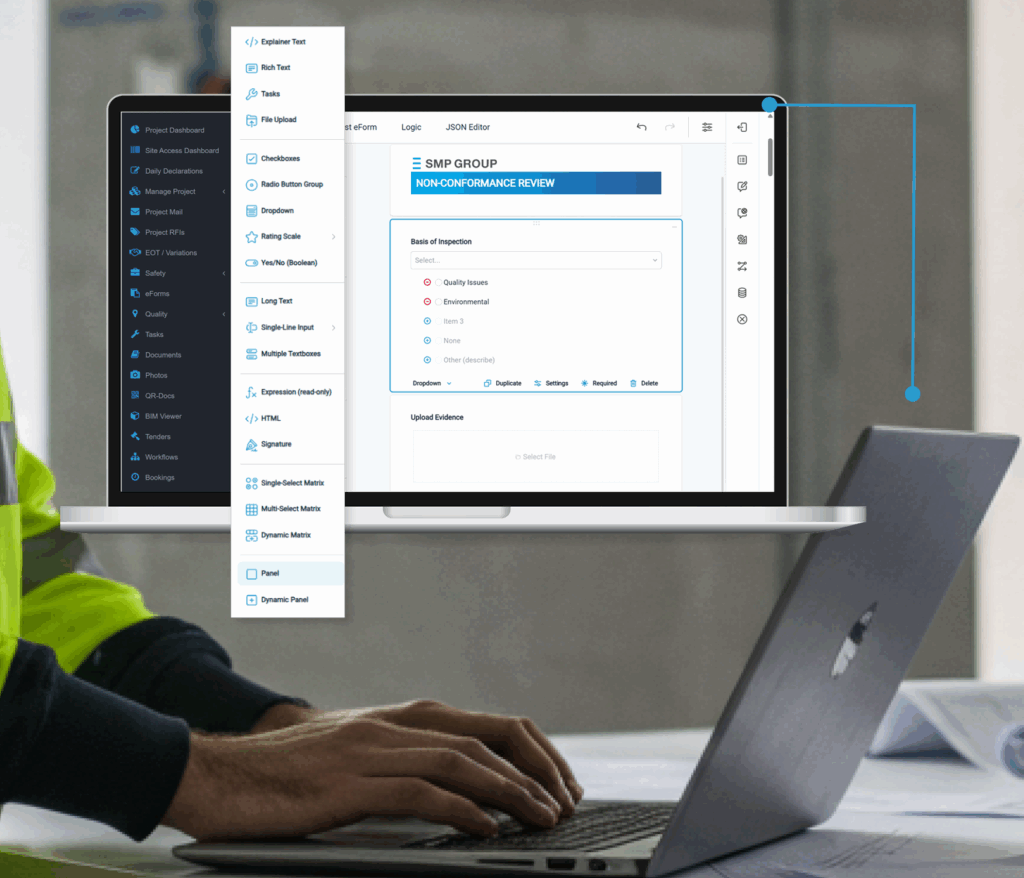
Build smart forms that prompt teams to collect and attach exactly what’s needed for each gateway. Whether gathering structural calculations, acoustic test results, or installer declarations, eForms can gatekeep submission with compulsory fields ensuring every detail is captured.

Attach files directly within eForms

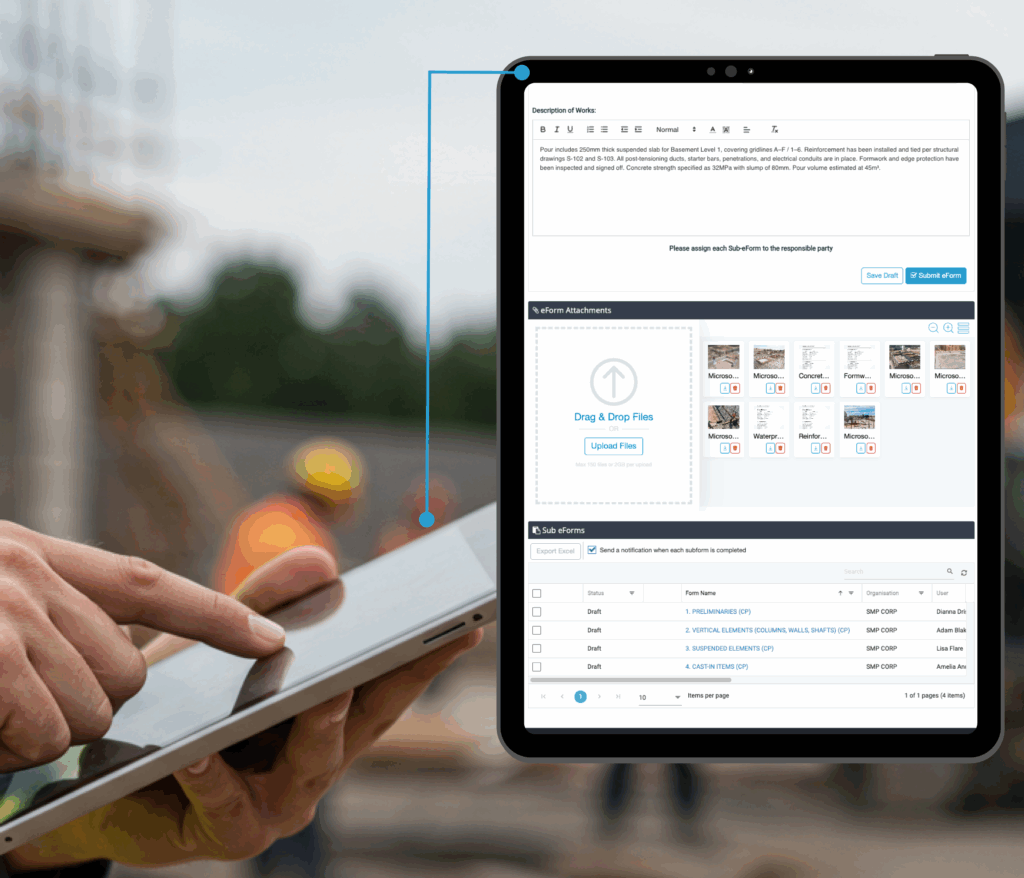
Upload multiple documents in a single step and assign them to relevant sections within the form. Rather than manually sorting files after upload, documentation is linked inline with the correct regulation as part of a structured submission. Once complete, the form can be signed off and issued as part of your gateway application.
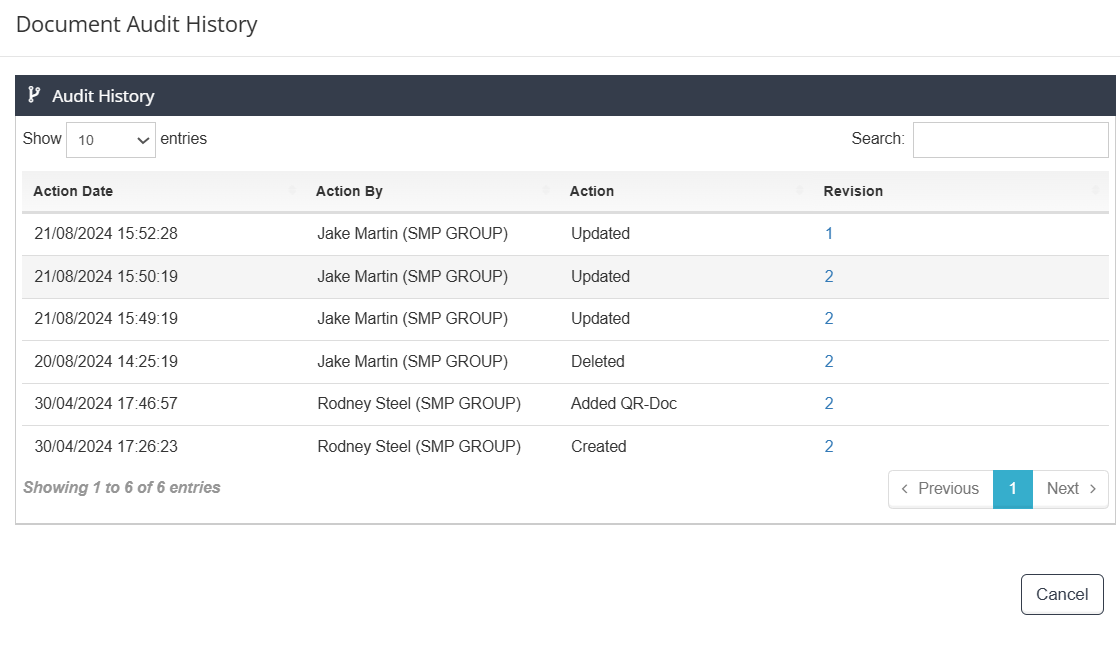
Centralised audit trails for every submission

Every update, upload, and approval is logged automatically, providing a transparent, timestamped history of compliance. When regulators ask for proof, you have a high-vis data trail at your fingertips.

Flexible storage for every file type and size

From plans and certificates to technical reports and design files, all file types can be stored in one place—regardless of size. No conversions, no switching between tools.

Centralised audit trails for every submission

Every update, upload, and approval is logged automatically, providing a transparent, timestamped history of compliance. When regulators ask for proof, you have a high-vis data trail at your fingertips.

Flexible storage for every file type and size

From plans and certificates to technical reports and design files, all file types can be stored in one place—regardless of size. No conversions, no switching between tools.

Automated reminders and submission workflows

Assign deadlines for every document, with automated alerts for uploads, reviews, and approvals. Each team member is notified of exactly what’s due and when, reducing delays and removing the risk of missed milestones.

Building safety is a requirement, not a recommendation

The Building Safety Act Gateways have reshaped what’s expected from developers in the UK. Each stage is a formal checkpoint, and there’s no progressing without clear, verifiable evidence. These are not just policy updates. They are legal obligations that can delay handover and trigger hefty penalties if missed.

Digital tools aren’t optional with manual processes proven to introduce risk, slow teams down, and make it infinitely harder to audit. A purpose-built platform helps keep documentation structured, submissions on track, and accountability clear from start to finish.

Safety needs to be embedded from day one and maintained well beyond project completion. With Simpel, project teams can meet every requirement with confidence and clarity.


Take the uncertainty out of gateway submissions. Book a demo today and see how Simpel keeps every document, deadline and decision on track.

Contact us for a demo

Sign up to Simpel's Newsletter

A quick read with our latest news, blogs, recent software releases, and big company updates

Related news and articles

26 November 2025
Tablet showing Simpel's Project Compliance Dashboard's being used on site by a contractor

Closing the Loop on Construction Compliance with Daily, Real-Time Controls

30 September 2025
Simpel's proprietary site access turnstile installed and being utilised for construction site security

Fortifying Compliance: Next-Gen Site Security for Construction

16 September 2025
Three construction workers in a site office looking at a disorganised whiteboard

Ditching the Whiteboard: How Construction Scheduling Software Sets the Rhythm of Operations

9 September 2025
Construction worker in high vis using a tablet with a concrete pre-our ITP on Simpel overlay

Move Fast, Stay Compliant: Modernising ITP Construction Processes

26 August 2025
Workers onsite in yellow high-vis completing construction site inductions on their phones

Construction Site Inductions? Sorted. 8 Reasons to Go Digital

22 July 2025
Construction worker using Simpel's Construction program Management SOftware on a tablet while walking through a busy construction site

5 Reasons Why Unified Construction Software is Replacing Disconnected Point Solutions

26 June 2025
Image of a construction worker on a laptop with an overlay of Simpel's new eForm builder

eForms 2.0 Is Here: Built on Your Processes, Not Ours

17 June 2025
Three workers in blue high vis looking a construction RFIs on a tablet onsite

RFIs in Construction Don’t Delay Projects—The Way They’re Managed Does

Share
Simpel Construction software

One operational platform for the construction industry
Designed for construction projects of all types, stages and sizes; Simpel is driving digital transformation and delivering a new era in construction technology

ABN 27 624 797 539
© 2026 Project Simpel Pty Ltd

  • LinkedIn
  • Facebook
  • Instagram

PLATFORM
Platform Overview
Simpel Essentials
Quality Management
HSE Management
Site Access
Bookings & Warehousing
Reporting & Analytics

CLIENT TYPE
REITS & Developers
Contractors
Subcontractors

SALES & CORPORATE ENQUIRIES
+61 2 9222 4222
[email protected]

NATIONAL HELP DESK
1300 85 85 80
[email protected]

SUPPORT
Login to Simpel
Reset your password
Create a new user account
Privacy & Data Protection
Vulnerability Disclosure

OFFICE LOCATIONS
NSW
Level 2, 44 Pitt Street
SYDNEY NSW 2000
ACT
Suite 3.02, 33 Allara Street
CANBERRA ACT 2601
WA
Dexus Place
Level 16, 240 St Georges Terrace
PERTH WA 6000
LONDON
Scott House
Suite 1 The Concourse
Waterloo Station
LONDON, SE1 7LY